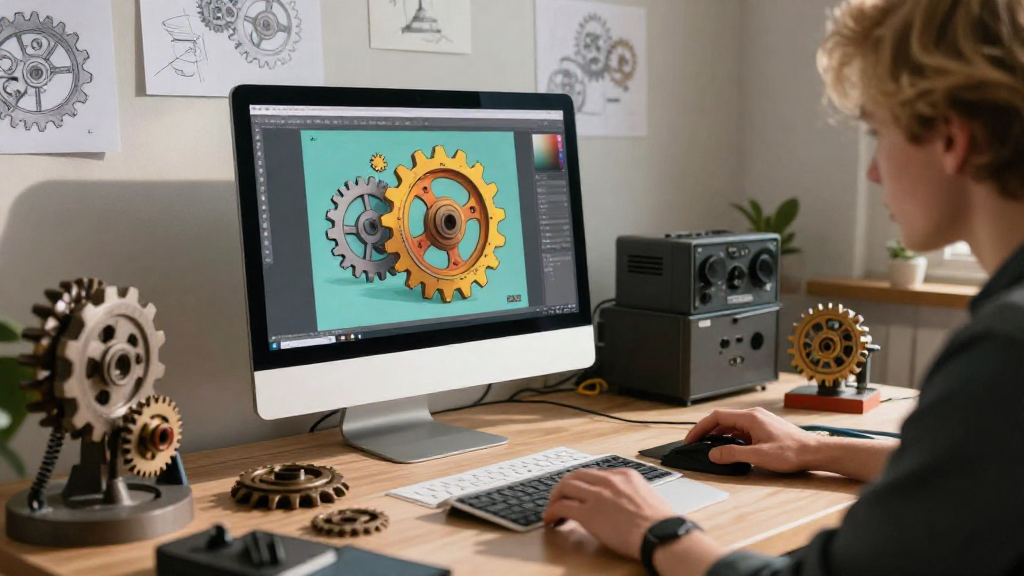
When it comes to creating stunning animations, gear animation tutorials offer an engaging way to bring mechanical movements to life. This article explores some of the best gear animation tutorials available online, helping you master your animation skills efficiently.
What Are Gear Animation Tutorials?
Gear animation tutorials are instructional guides designed to teach users how to create animations that depict the intricate movement of gears.
These tutorials typically cover various software programs, including:
- ** Blender**
- Maya
- After Effects
- Cinema 4D
- Adobe Animate
Each platform provides unique tools and techniques that can help you effectively animate gears. In this article, we’ll dive into various tutorials that cater to different skill levels, whether you’re a beginner or a seasoned animator.
Why Should You Learn Gear Animation?
Learning gear animation can significantly enhance your skill set for several reasons:
-
Realism: Animating gears adds a level of realism to your projects.
-
Versatility: Understanding gear mechanics enriches your animation projects, making it applicable in various domains such as engineering, gaming, and filmmaking.
-
Creativity: Exploring gear animation stimulates creativity and allows you to experiment with different styles and approaches.
-
Career Opportunities: Skills in animation can open doors in diverse fields like graphic design, game development, and film production.
Where Can You Find the Best Gear Animation Tutorials?
Here is a list of exceptional resources where you can find gear animation tutorials:
1. YouTube
YouTube is a treasure trove of free tutorials. Some highly-rated channels include:
-
CG Geek: Known for its comprehensive approach, CG Geek offers a range of gear animation tutorials for Blender users.
-
Blender Guru: This channel focuses on Blender and has multiple tutorials on creating mechanical animations, including gears.
-
Envato Tuts+: Though diverse in content, Envato Tuts+ provides excellent tutorials that generally include gear animations.
2. Online Learning Platforms
Several platforms provide in-depth courses on gear animation.
-
Udemy: Udemy has courses focused on various software, including extensive programs dedicated solely to gear animations.
-
Skillshare: With subscription access, Skillshare offers a multitude of gear animation tutorials ranging from beginner to advanced levels.
-
Lynda/LinkedIn Learning: This platform covers a wide array of gear animation techniques, focusing on professional applications.
3. Software-Specific Resources
Each animation software usually has extensive libraries and communities, providing tutorials directly tailored to their tools:
-
Blender: The Blender Foundation’s website has official documentation that includes gear animation tutorials focusing on physics and realism.
-
Adobe Animate: Adobe provides detailed guides on creating mechanical animations, leveraging their built-in animation tools.
4. Specialized Websites and Forums
Websites like Blender Stack Exchange and CGSociety offer community-driven answers and tutorials, particularly for gear animation techniques. Engaging with experienced animators can provide real-time support for your projects.
What Are Some Popular Gear Animation Techniques?
When exploring gear animation tutorials, familiarize yourself with a few popular techniques that often come up:
-
Keyframe Animation: This is the most basic form of animation where you set specific points in time for object movements.
-
Constraint Animation: Using constraints allows gears to interact dynamically as they rotate, simulating real-life mechanics.
-
Physics Simulation: Physics engines can create realistic gear interactions by simulating gravity, friction, and collisions.
-
Rigging: Rigging gears with bones or control points helps in creating more complex animations without making changes for every frame.
How Can You Apply What You Learn?
After going through the gear animation tutorials, the next step is to apply your knowledge creatively. Consider the following applications:
-
Product Demos: Showcasing mechanical products like watches or engines effectively requires skill in gear animations.
-
Game Development: Realistic gear mechanics can significantly enhance the gaming experience by giving life to machinery within game environments.
-
Educational Videos: Teach concepts related to mechanics or engineering by visually demonstrating how gears work through animation.
What Software Should You Use for Gear Animation?
Choosing the right software can impact your learning process significantly. Here’s a breakdown of widely-used programs:
-
Blender: Free and open-source, Blender is a favorite among hobbyists and professionals alike, offering a range of gear animation tutorials.
-
Maya: While more expensive, Maya is industry-standard and ideal for those seriously pursuing a career in animation.
-
Cinema 4D: Known for ease of use, Cinema 4D makes creating gear animation enjoyable, especially with its built-in dynamics systems.
-
After Effects: Best suited for 2D animations or integrating 3D elements into video projects, After Effects can still be used creatively for gear movement.
-
3ds Max: Popular in architectural and engineering animations, 3ds Max has strong mechanics tools for gear animations.
What Are Some Tips for Mastering Gear Animation?
To excel in gear animations, consider the following tips:
-
Practice Regularly: The more you practice, the better you will get at understanding the mechanics of gear movements.
-
Study Real Gears: Observing real-life mechanisms can provide valuable insights into how gears should motion.
-
Experiment: Don’t shy away from trying different techniques and styles. Experimentation can lead to unique animations.
-
Join Communities: Engaging with other animators helps exchange strategies and gather feedback that can improve your skills.
Final Thoughts on Gear Animation Tutorials
Learning gear animation tutorials can significantly elevate your animation portfolio.
With the variety of resources available, ranging from free YouTube videos to comprehensive courses on platforms like Udemy and Skillshare, you have numerous avenues to explore.
By mastering the techniques and applying them to your projects, you’ll enhance your skills and stand out in the ever-competitive world of animation.
Embark on your journey today and bring those gears to life!