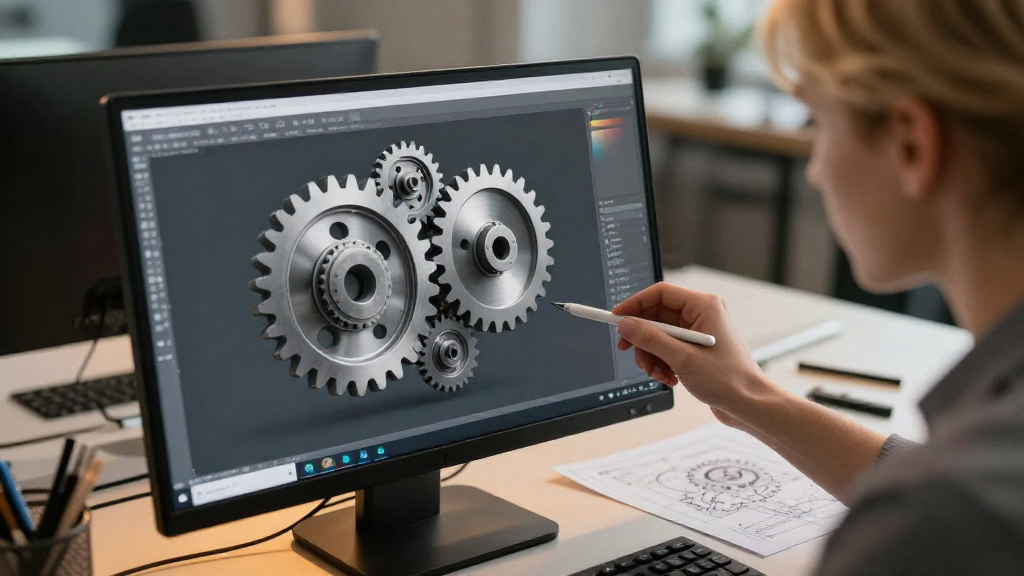
When it comes to designing mechanical systems, understanding how to model gears in CAD is crucial. This process allows engineers and designers to create accurate and efficient gear designs, optimizing performance in various applications.
What Are the Basic Steps to Model Gears in CAD?
Modeling gears in CAD requires a systematic approach. Here are the steps you need to follow:
-
Define Gear Parameters
Before diving into modeling, it’s essential to define the specific parameters for your gear. This includes:
– Number of Teeth: More teeth lead to smoother operation.
– Pressure Angle: Influences the shape of the gear teeth.
– Pitch Diameter: The diameter at which gear teeth effectively mesh.
– Module: The ratio of pitch diameter to the number of teeth, determining the size of the gear teeth. -
Choose the Right CAD Software
Not all CAD software is created equal. Choose software that supports gear modeling features. Excellent options include:
– SolidWorks: Offers comprehensive tools for gear design.
– AutoCAD: Good for 2D gear designs with some 3D capabilities.
– Fusion 360: A user-friendly option for beginners. -
Create the Gear Profile
Use your CAD software to start designing the gear profile. You can accomplish this through:
– 2D Sketching: Draw the outline of one tooth based on your parameters.
– 3D Features: Expand that sketch into a 3D model. -
Use Gear Tools and Libraries
Most CAD software provides built-in tools or libraries for creating gears. Utilize these to save time and ensure precision. Look for:
– Predefined gear templates.
– Gear generation plugins. -
Refine the Model
After you’ve created the basic gear shape, refine the model by adding:
– Fillets: To round sharp edges, reducing stress concentration.
– Holes: For shafts or mounting features.
– Textures: If necessary, to enhance realism in visual presentations. -
Check Interference
Before finalizing your design, ensure that your gear will function properly with other parts. Use the interference check feature in your CAD software to verify that:
– Gears do not clash with other components.
– There is adequate clearance between moving parts.
How Do You Generate Gear Models in CAD?
Once you grasp the fundamental steps, generating gear models in CAD becomes more straightforward. Here’s a streamlined approach:
-
Create a New Document: Open your CAD software and start a new project.
-
Select the Gear Feature: Navigate to the gear design tool within the software.
-
Input Parameters:
- Enter parameters like the number of teeth, pressure angle, and pitch diameter.
-
Confirm the dimensions adhere to design standards required for your project.
-
Preview the Gear: Many CAD applications will show you a preview. Use this to make any adjustments before finalizing.
-
Generate the Model: Once satisfied with the preview, click ‘Generate’.
-
Save Your Work: Always save your model after creation, preferably in multiple formats for compatibility.
Why is Understanding Gear Design Important?
Understanding how to model gears in CAD is vital for several reasons:
-
Efficiency: A well-designed gear can significantly enhance the efficiency of a mechanical system, reducing energy loss.
-
Durability: Proper gear models take into account wear and tear, thus increasing the lifespan of the components.
-
Interchangeability: CAD models allow for easy modifications, which can lead to interchangeable parts in production.
What are Some Common Mistakes in Gear Modeling?
As you learn how to model gears in CAD, be mindful of common pitfalls that can lead to issues later on:
-
Ignoring Tolerances: Failing to account for manufacturing tolerances can result in improper fit during assembly.
-
Skipping Interference Checks: Neglecting to check for conflicts can cause operational failures.
-
Incorrect Parameter Settings: Inputting wrong gear parameters can result in non-functional designs.
How Can You Optimize Your Gear Models?
To further enhance your designs once you know how to model gears in CAD, consider these optimization tips:
-
Reduce Complexity: Simplify unnecessary details that don’t affect functionality to streamline your CAD model.
-
Utilize Simulation Tools: Many CAD software packages come equipped with simulation capabilities to test gear performance under various conditions.
-
Iterate Designs: Don’t hesitate to create multiple versions of gear designs to compare performance and efficiency.
Conclusion
Learning how to model gears in CAD is both an art and a science. By following structured steps and avoiding common pitfalls, you can create high-quality gear designs that meet project requirements.
Whether you are an experienced engineer or just starting, mastering these techniques will greatly enhance your ability to design effective mechanical systems. Keep practicing and make use of available resources such as tutorials and community forums to deepen your understanding.
Final Tips for Successful Gear Modeling:
- Practice Regularly: The more gears you model, the more proficient you’ll become.
- Engage with Communities: Join online forums to ask questions and share insights.
- Stay Updated: CAD software frequently updates, so keep learning about new features and best practices.
Now, you’re ready to tackle your next gear design project with confidence!